FORMAT / CHECK
Container
WAV and AIFF files are checked against the selected profile.
Audio export format checker
Check new audio files against the delivery profile you chose.
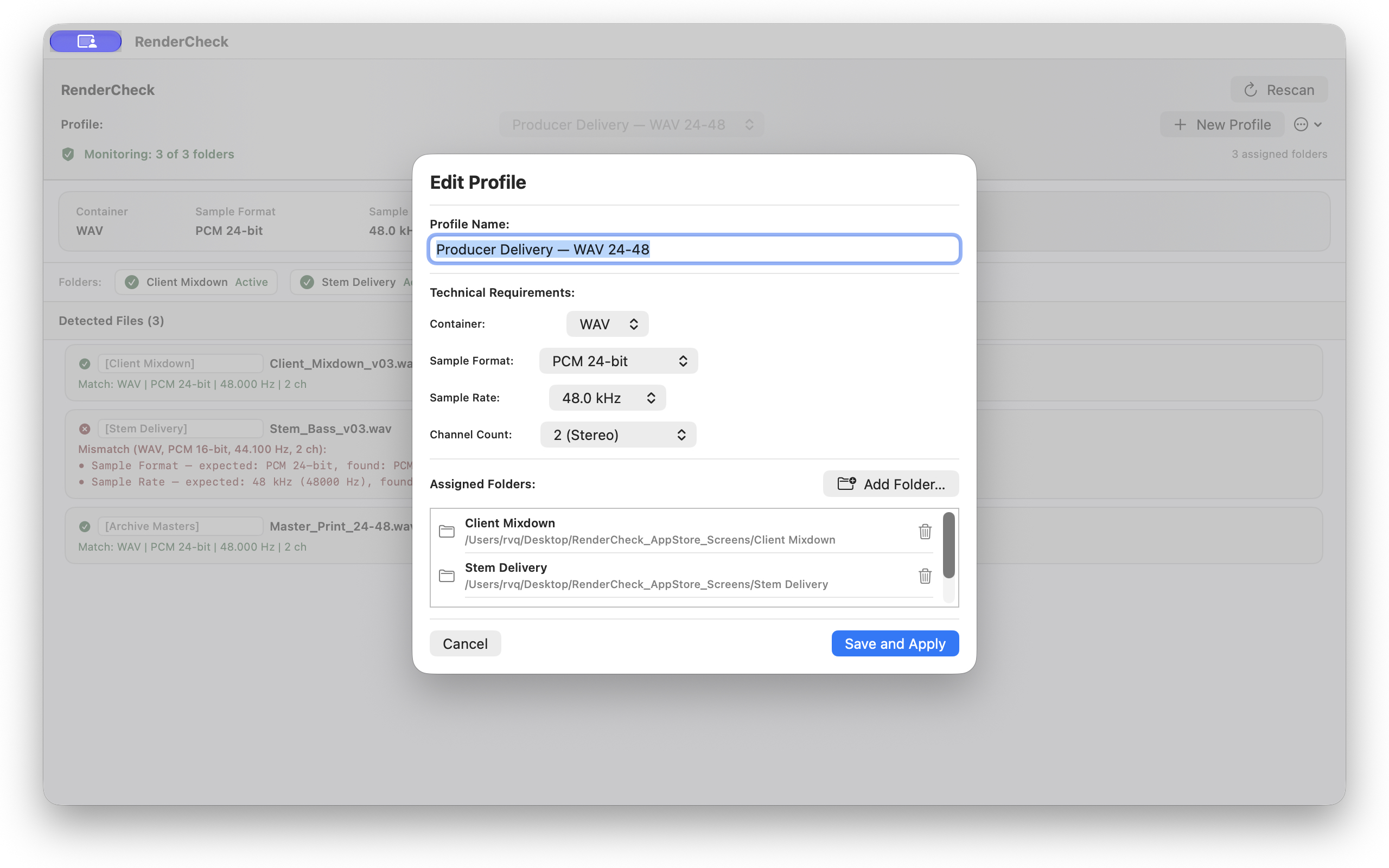
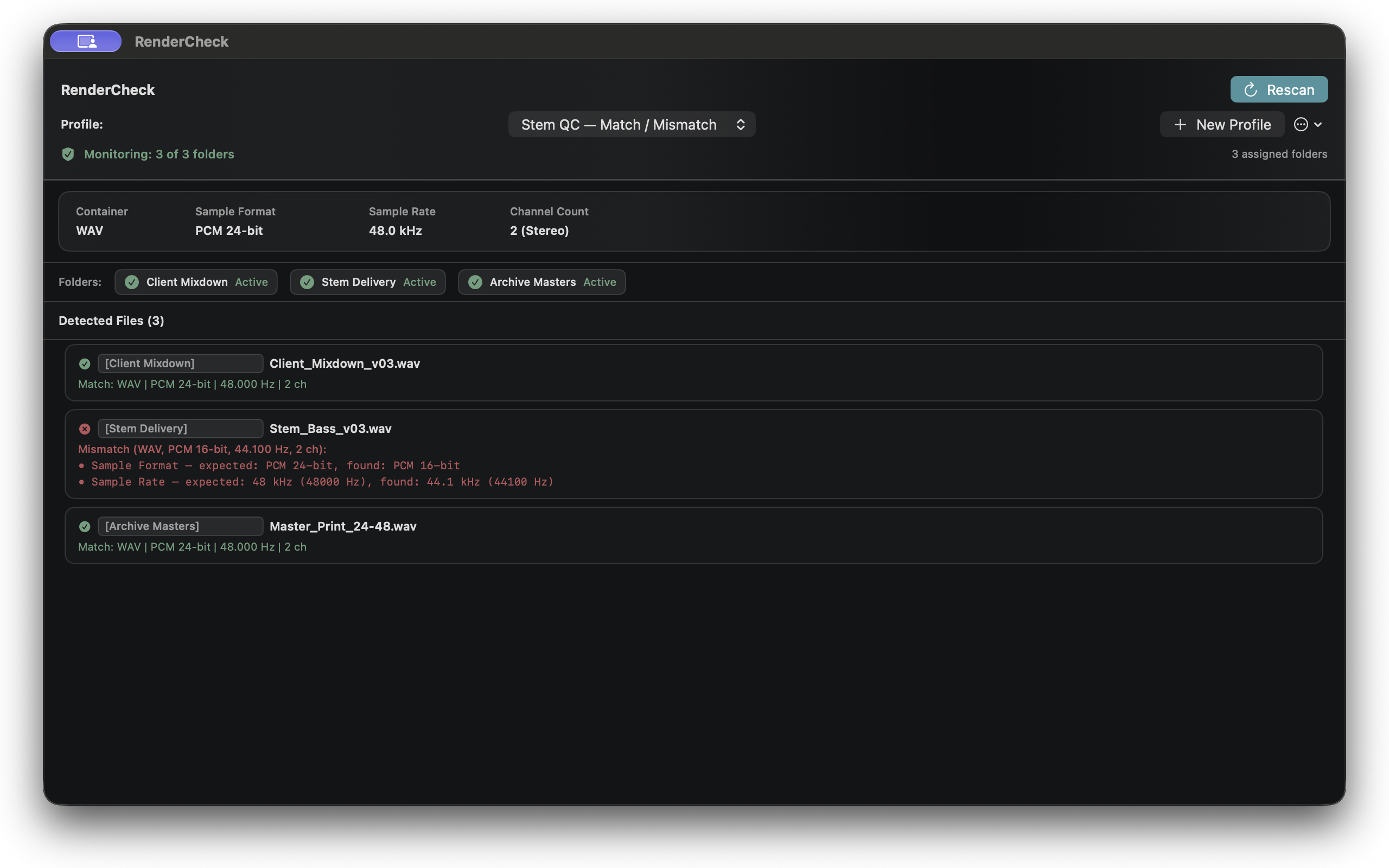
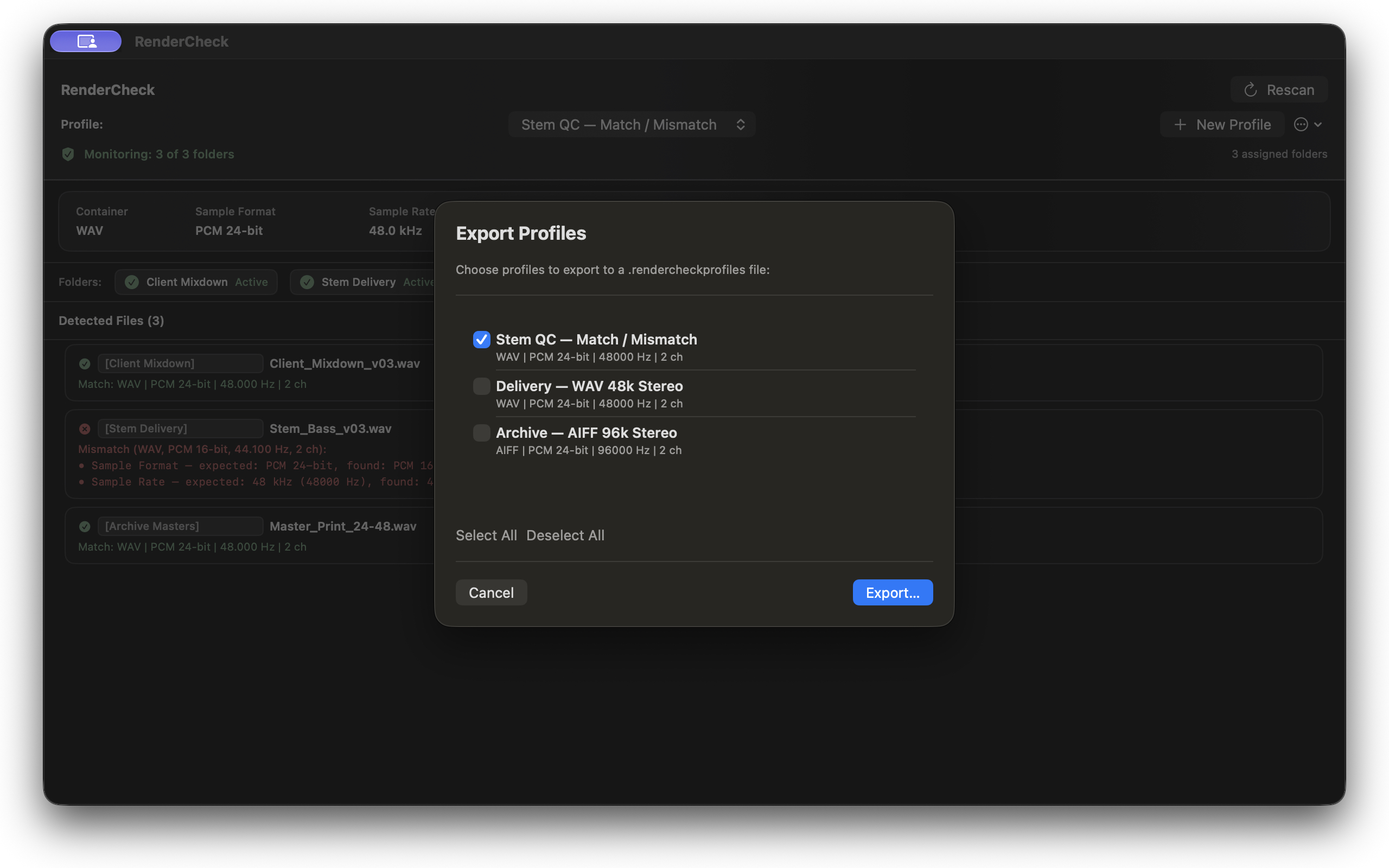
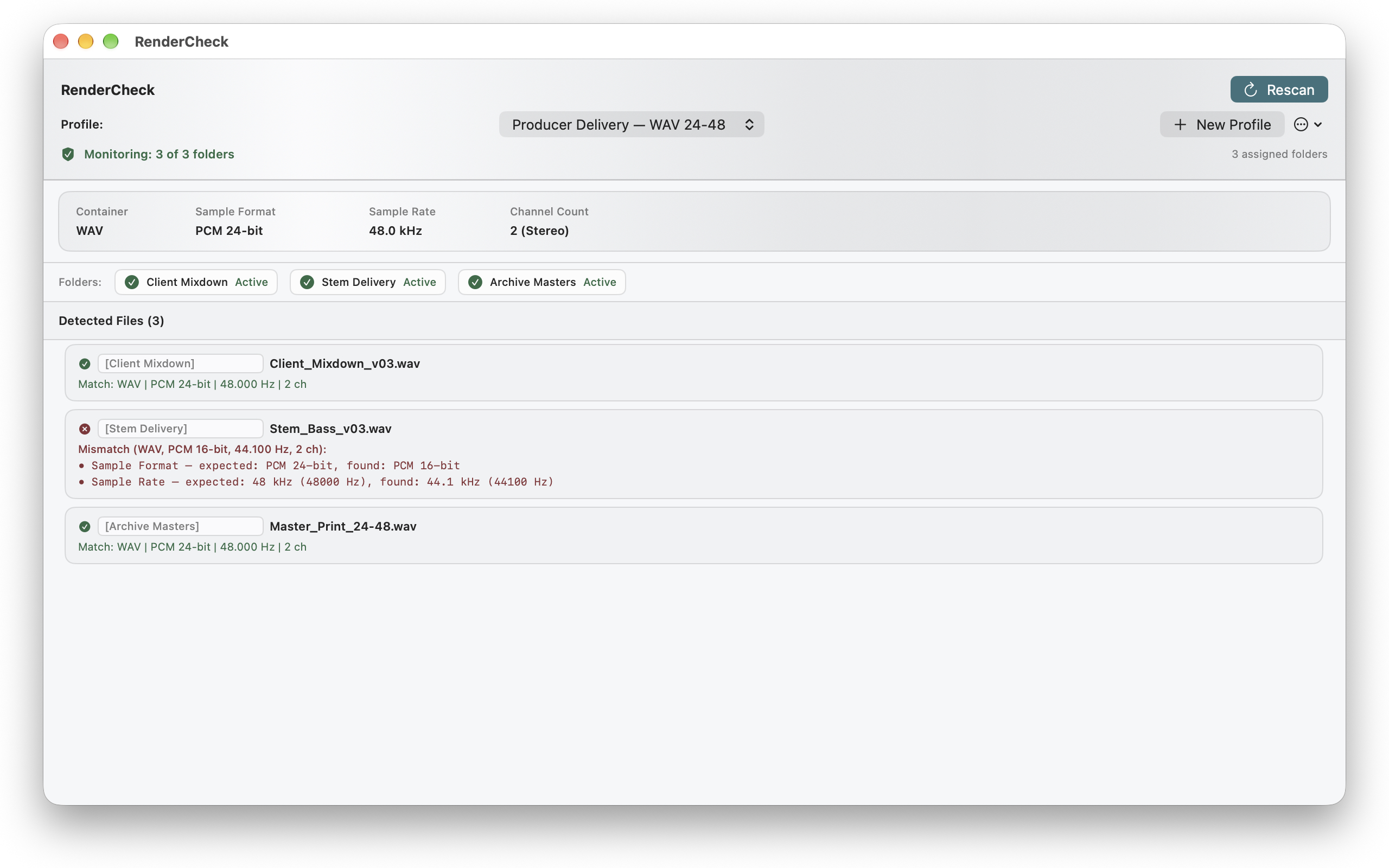
RenderCheck watches selected local folders and reports whether each new audio file matches the expected container, sample format, sample rate, and channel count.
For macOS · Local processing

The problem
A file can arrive in the right folder and still miss the delivery specification. RenderCheck makes the technical difference visible before the file leaves your Mac.
What it checks
FORMAT / CHECK
WAV and AIFF files are checked against the selected profile.
FORMAT / CHECK
PCM bit depth is checked against the profile requirement.
FORMAT / CHECK
The file sample rate is compared with the expected value.
FORMAT / CHECK
Mono and stereo channel counts are checked independently.
How it works
Set the format requirements for a delivery or archive workflow.
Use one profile with one or more local folders.
See Match or Mismatch and the expected and found values.
Local by design
Audio is processed locally on your Mac. RenderCheck does not repair or convert files, judge how they sound, analyze loudness or musical content, or require a DAW or internet connection.
In the app